

No developing or external resource
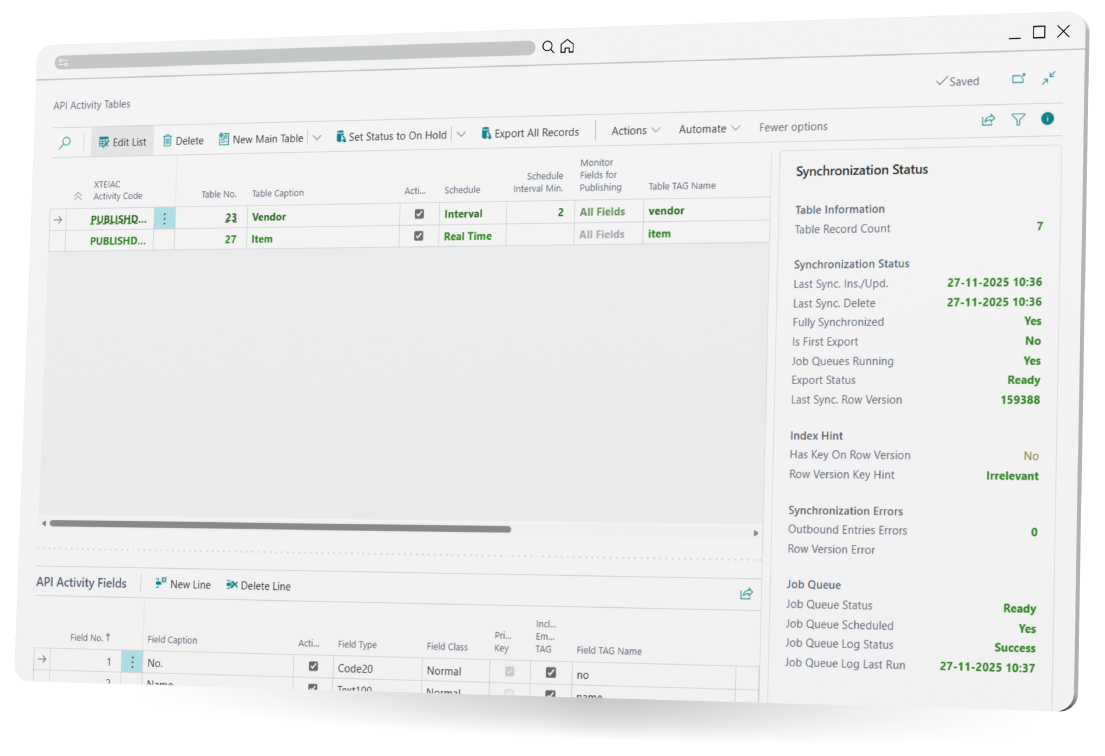
Create and modify API endpoint and JSON content
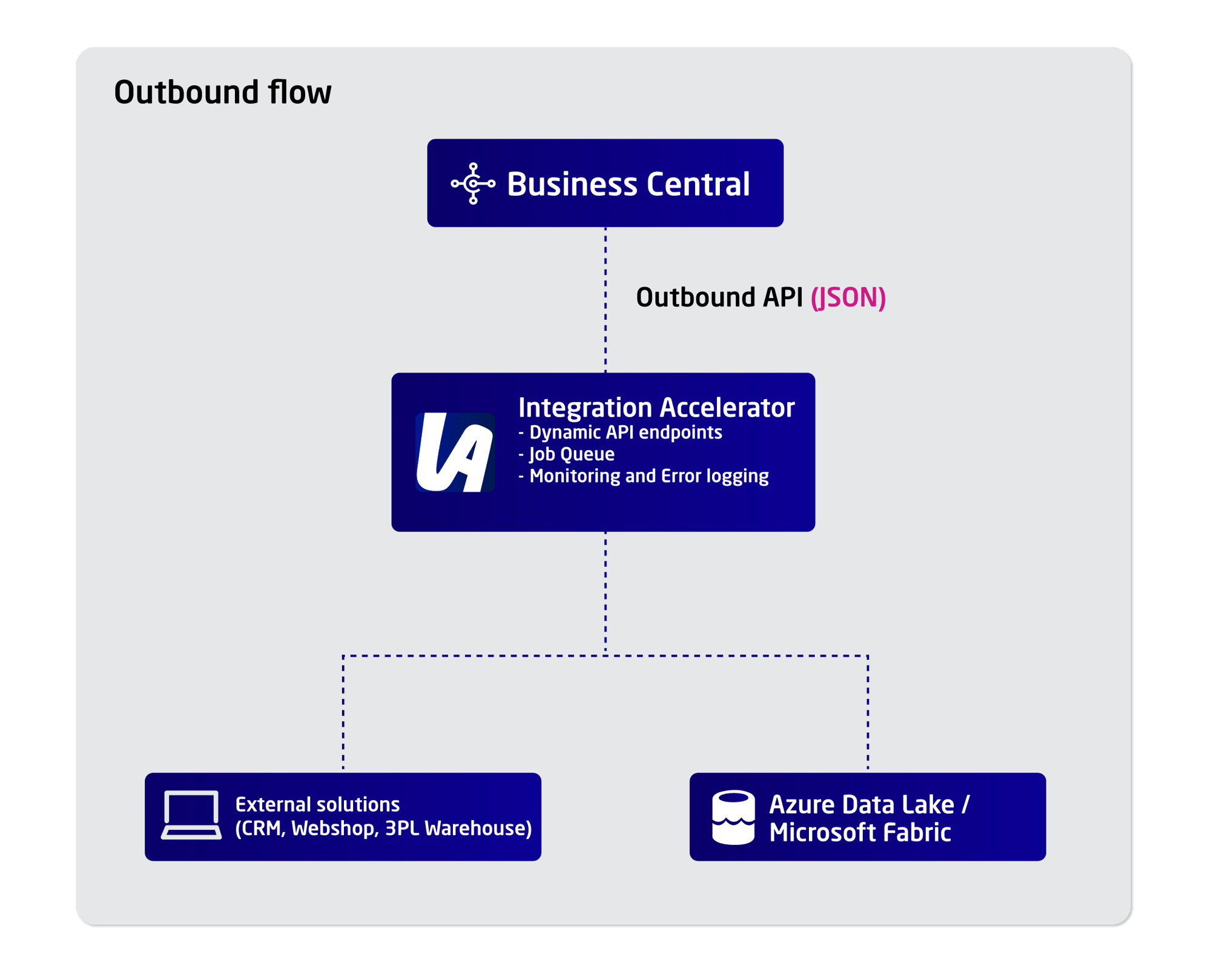
Manage connection to Microsoft Fabric and Azur Data Lake
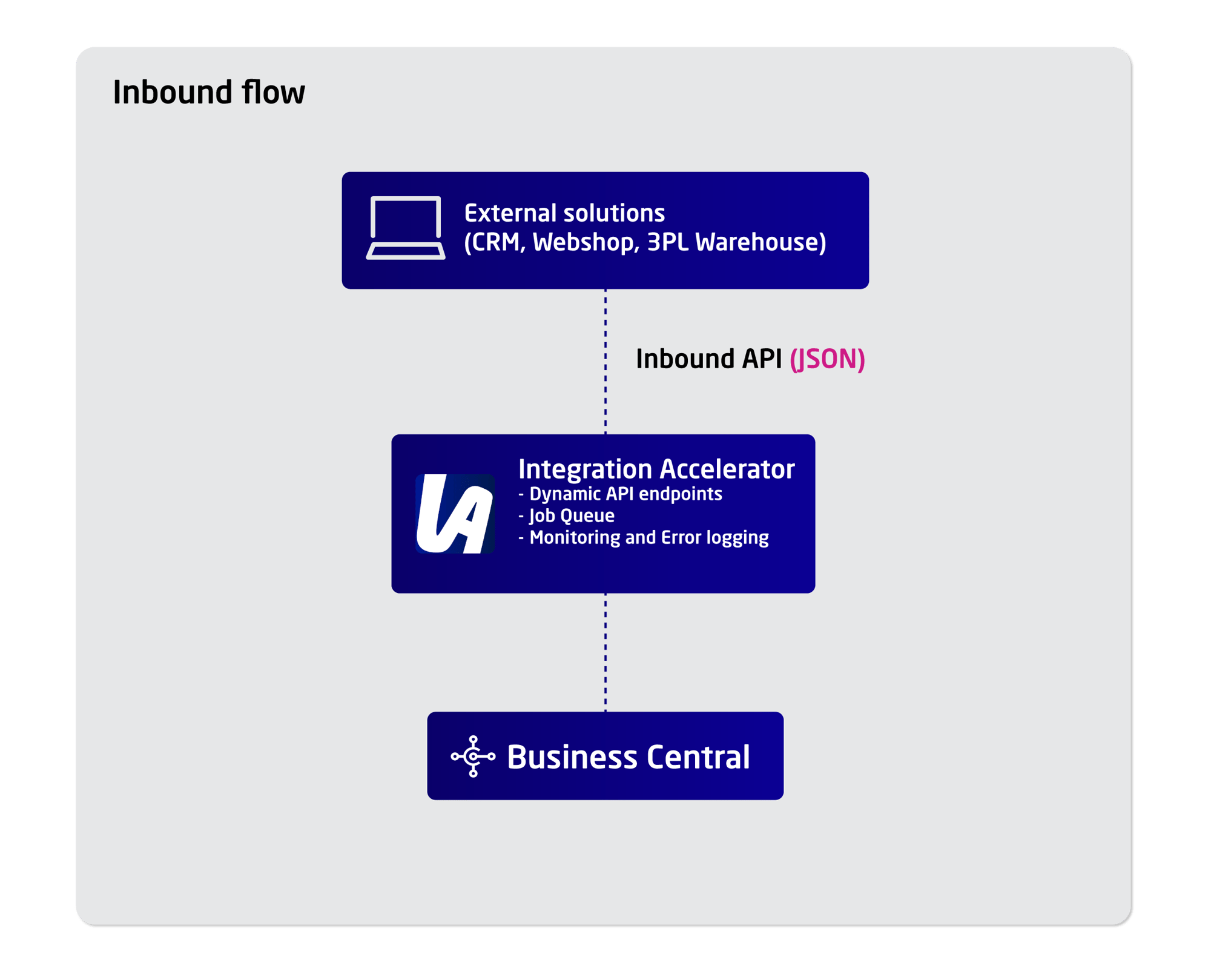
Data exchange from/to Customers, Webshops or 3PL


Get expert tips, product updates, and best practices for Microsoft Dynamics 365 Business Central Extensions straight to your inbox.
Sign up today and start receiving our Business Central newsletter
Integration Accelerator is a solution for Microsoft Dynamics 365 Business Central that enables data exchange between Business Central and external systems. It allows users to create, manage, and publish Business Central API endpoints through a user interface without writing code.
Integration Accelerator addresses the need to expose and exchange Business Central data with external platforms in a flexible and manageable way, without requiring AL development or external technical assistance.
API endpoints are created using the Integration Accelerator user interface. Users define the required fields, configure the data direction (inbound or outbound), and publish the endpoint directly from Business Central without coding.
No. Integration Accelerator allows API endpoints to be created and maintained without modifying or writing AL code.
Yes. Integration Accelerator supports configuration of both inbound and outbound API endpoints, enabling flexible data exchange scenarios.
Integration Accelerator is typically used by IT administrators who are responsible for providing Business Central data to external platforms.
Yes. As integration requirements change, endpoint structures can be adjusted, additional fields can be mapped, and new endpoints can be configured using the user interface.
Integration Accelerator supports communication with external systems, including Azure Data Lake and Microsoft Fabric.
Yes. Integration Accelerator is designed specifically for Microsoft Dynamics 365 Business Central and works within the Business Central environment.